How IT Teams Can Manage Devices Smarter With Remote Support Software
FurtherGrow Team
Updated June 10, 2026
Introduction
Managing a fleet of devices across offices, remote workers, and multiple time zones has become one of the defining challenges of modern IT. Help desk tickets pile up. Support engineers bounce between tools. End users wait. And somewhere in the middle, productivity takes a hit.
The answer isn't more people — it's smarter tools.
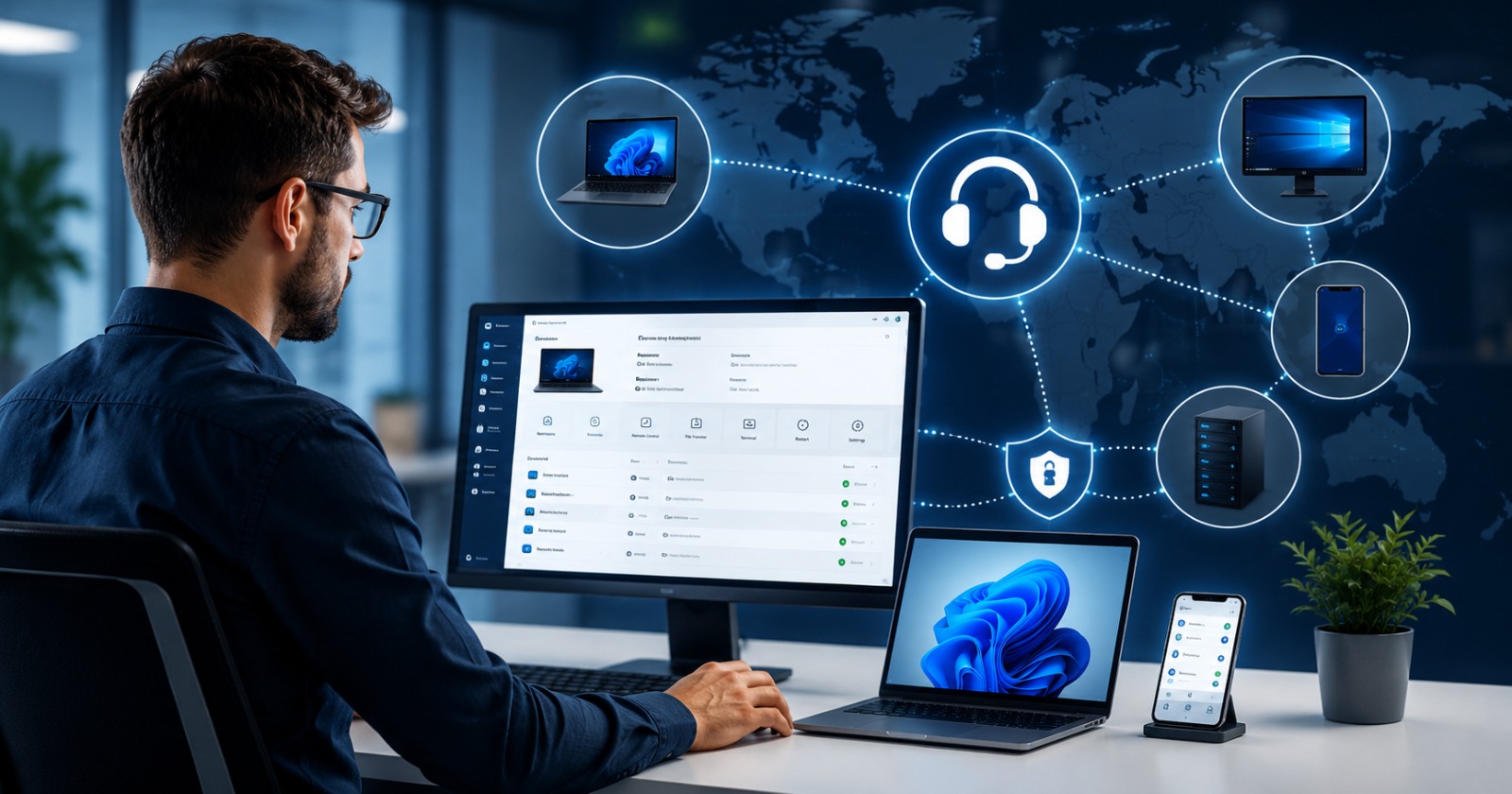
Remote support software has evolved well beyond the basic "take control of a screen" era. Today's platforms offer cryptographic security, cross-platform agents, peer-to-peer data transfers, and enterprise-grade audit trails — all from a single interface. For IT teams serious about operational efficiency, choosing the right remote support software isn't optional. It's foundational.
This guide breaks down what modern remote support software should offer, what sets the best tools apart from legacy alternatives, and how platforms like MUD (Managed UR Device) by FurtherGrow Technologies are redefining smart device management in 2025.
Why Remote Support Software Matters More Than Ever
The average enterprise IT team manages hundreds — sometimes thousands — of endpoints. With hybrid work becoming permanent and global teams becoming the norm, the old model of on-site support simply doesn't scale.
Here's what IT teams are dealing with every day:
● Distributed workforces across multiple time zones and geographies
● Heterogeneous device environments — Windows laptops, macOS desktops, Linux servers running side by side
● Security and compliance pressure — every remote session is a potential attack surface
● Productivity expectations — users expect issues resolved in minutes, not hours
Remote support software bridges the gap between where your team is and where the problem is. But not all tools are created equal — and the wrong one can introduce latency, security gaps, or operational complexity that makes things worse.
What to Look for in Remote Support Software for IT Teams
Before evaluating any platform, IT leads need a clear checklist of must-haves. Here's what separates genuinely capable tools from the rest:
1. Cross-Platform Agent Support
Your endpoints aren't homogeneous. A remote support tool that only works on Windows — or requires a different client for each OS — creates fragmentation and training overhead. Look for a single signed binary agent that runs natively on macOS, Windows, and Linux without configuration gymnastics.
2. Zero-Configuration Connectivity
One of the biggest pain points with legacy tools like TeamViewer or AnyDesk is network configuration — opening firewall ports, setting up VPNs, or wrestling with NAT traversal. Modern platforms should handle tunneling automatically, ideally using technologies like ngrok or Cloudflare tunnels, so devices become remotely accessible from the first run without router changes.
3. Dual-Mode Functionality
IT teams need flexibility. A field technician needs to control a remote machine. A system administrator needs to expose a server for remote access. The best tools offer a single application that handles both roles — host mode and remote mode — toggled with a click, not a reinstall.
4. Peer-to-Peer Data Handling
This is a critical security consideration that's often overlooked. Some remote support platforms route screen frames, keystrokes, and clipboard data through their own central servers. That means your sensitive data — terminal commands, credentials, confidential documents — lives on a third-party server, even momentarily.
Purpose-built platforms route session data directly between the paired devices, not through central servers. The difference matters enormously for teams operating under compliance frameworks like SOC 2, HIPAA, or ISO 27001.
5. Audit-Grade Logging
Every session should generate a timestamped, tamper-evident record. Who connected? When? To which device? For how long? Did they transfer any files? Without centralized audit logs, your IT team has no visibility — and your security team has no accountability trail.
6. Strong Authentication Architecture
Look for platforms built with JWT authentication, Argon2 password hashing, and hardware-level device fingerprinting. These aren't nice-to-haves — they're the baseline for any tool handling privileged access to production systems.
The Problem With Legacy Tools
TeamViewer and AnyDesk built the category. But they were designed for a different era.
Legacy remote support platforms come with well-documented pain points:
● Pricing that punishes growth — per-device or per-technician licensing that becomes prohibitive as teams scale
● Complex deployment — enterprise configurations require IT expertise just to get agents installed and registered
● Opaque data handling — session data routed through vendor infrastructure with limited transparency
● Bloated clients — heavy installers that slow down end-user machines and require frequent updates
For small-to-medium IT teams — and especially teams in cove markets — these platforms represent significant overhead for features that may be unnecessary.
How MUD Is Rethinking Remote Support
MUD (Managed UR Device) by FurtherGrow Technologies is a next-generation remote support platform built to address exactly these gaps. Designed as a leaner, more security-conscious alternative to legacy tools, MUD brings together everything modern IT teams need without the overhead.
Autopilot Connectivity
MUD's standout feature for setup is its Autopilot tunneling — on first run, the agent automatically configures connectivity using ngrok and Cloudflare. There's no port forwarding, no VPN setup, no network configuration. The device is simply accessible. For teams deploying to non-technical users or remote offices without dedicated IT staff, this is a game-changer.
One App, Two Modes
MUD operates as both a Host (making a device controllable via pairing codes) and a Remote (controlling another machine via desktop or browser). Switching between modes is a single click. The remote interface includes adaptive zoom, file transfer, and clipboard sharing — everything needed for a complete support session.
Security Architecture Built for Privilege
MUD's security stack isn't an afterthought:
● JWT authentication for session validation
● Argon2 password hashing — credentials never leave the backend in plaintext
● HMAC-signed tokens locally with a 24-hour offline grace window
● Hardware-level device fingerprinting using machine UUID, hostname, and architecture to bind licenses
And critically — screen frames, keystrokes, and clipboard transfers move directly between paired devices over an authenticated channel. MUD's central servers never see your session data.
Audit-Grade Telemetry
Every login, session, and admin action is logged centrally. Administrators can revoke access at any time. For compliance-sensitive environments, this creates the accountability chain that auditors require.
Practical Use Cases for IT Teams
Here's where remote support software like MUD delivers the most value in day-to-day IT operations:
Tier 1 Help Desk Support — Connect to an end-user's machine in seconds using a pairing code. No pre-installed client required on the user's end. Resolve issues, reboot, and log the session — all without leaving your desk.
Server Administration — Register production servers as hosts. Access them remotely via browser or desktop when you're away from the office. HMAC-signed tokens mean access is still authenticated even during brief connectivity lapses.
Remote Office Deployments — Deploy MUD agents across branch offices with no network configuration required. Autopilot tunneling handles connectivity. Administrators retain central oversight and revocation rights.
Compliance Auditing — Generate session logs for quarterly security reviews. Know exactly who accessed what, when, and for how long. Demonstrate control to auditors without manual record-keeping.
Making the Switch: What IT Teams Should Do Next
If your team is still relying on legacy remote support tools — or cobbling together a mix of VPNs, RDP sessions, and ad-hoc screen-sharing apps — it's time to evaluate purpose-built alternatives.
Here's a simple framework for the evaluation:
- Audit your current tool's security model — Does session data transit the vendor's servers? What authentication mechanisms are in place?
- Map your OS distribution — What percentage of endpoints are Windows vs. macOS vs. Linux? Ensure your new tool supports all of them natively.
- Assess your compliance requirements — Do you need audit logs? Admin revocation? SAML SSO? Start with those as non-negotiables.
- Pilot with a small team — Tools like MUD's free tier make it easy to test real-world performance before committing.
- Evaluate TCO, not just license cost — Factor in setup time, training, and ongoing management overhead.
Conclusion
Remote support software is no longer a "nice to have" — it's core infrastructure for any IT team operating in a distributed world. But the right platform makes all the difference between a tool that creates efficiency and one that creates technical debt.
The shift toward peer-to-peer data handling, zero-config connectivity, cross-platform agents, and audit-grade telemetry represents where the category is heading. Platforms like MUD are already there.
For IT teams ready to move beyond legacy tools and manage devices smarter, the starting point is clear: demand security by design, demand simplicity at scale, and demand pricing that doesn't punish growth.
Explore MUD at mud.furthergrow.com and take control of your device fleet — from anywhere.
Want to discuss this topic?
Our experts are ready to help you implement these ideas in your business.
Get in Touch